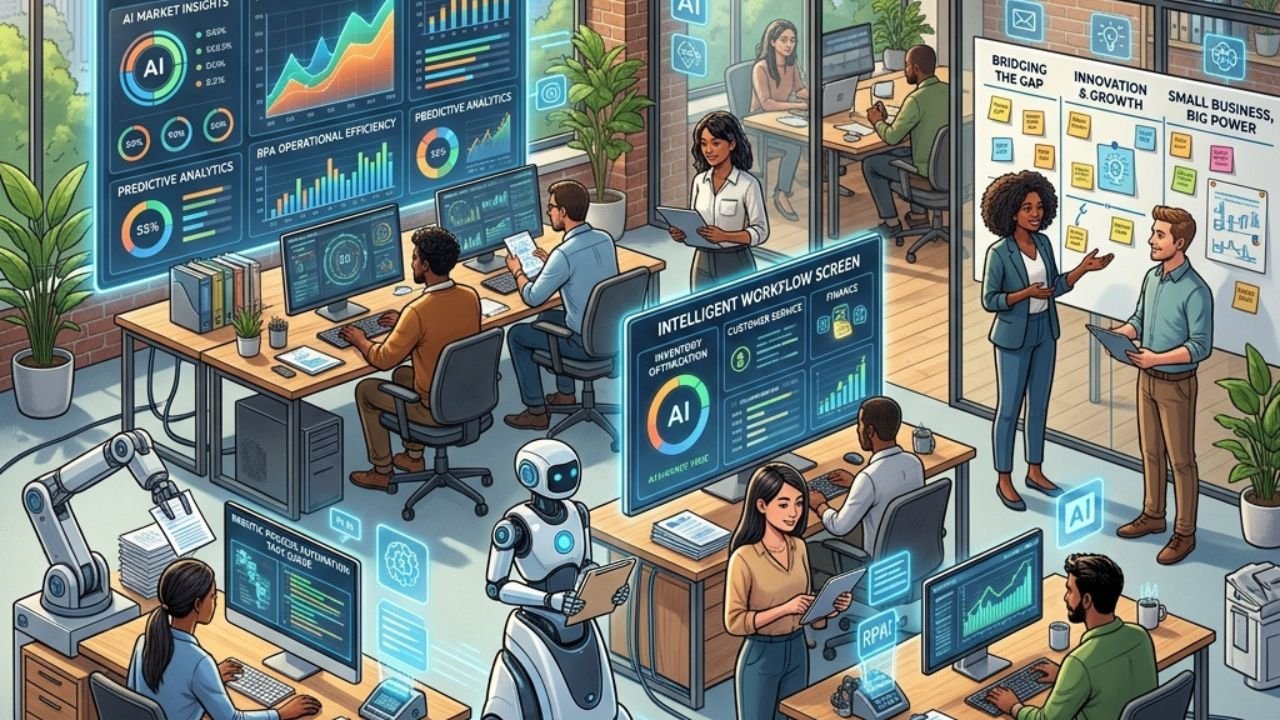
AI automation helps small businesses streamline repetitive tasks, reduce costs, and compete with larger companies by using machine learning, robotic process automation, and intelligent workflows—without requiring a large IT team or budget.
Running a small business means wearing many hats. You’re the marketer, the customer service rep, the accountant, and the strategist—often all before lunch. The tasks pile up, the hours shrink, and growth starts to feel like something that happens to other businesses. That’s exactly where AI automation steps in.
Large enterprises have been leveraging AI for years. Amazon uses it to manage inventory. Netflix uses it to personalize recommendations. Banks use it to detect fraud in real time. But here’s the shift that’s been quietly unfolding: the tools powering these billion-dollar operations are now accessible to businesses of every size—including yours.
This guide breaks down what AI automation actually is, how it differs from traditional automation, and which use cases are most relevant for small business owners. By the end, you’ll have a clear picture of where AI can make the biggest difference in your operations—and how to start putting it to work.
What Is AI Automation, and How Does It Actually Work?
Before getting into the practical applications, it helps to understand what separates AI automation from the automation tools that have existed for decades.
Traditional Automation vs. AI Automation
Traditional automation follows fixed, rule-based logic. Think of an email autoresponder that sends the same message every time someone fills out a form. The rule is simple: if X happens, do Y. It works well—until the situation changes even slightly. If the form submission includes unexpected input or the task requires judgment, traditional automation breaks down.
AI automation is different because it can learn and adapt. Rather than following a static set of rules, AI systems analyze patterns in data and improve their outputs over time. They can handle ambiguity, make predictions, and respond to new information in ways that rule-based systems simply cannot.
The Role of Machine Learning
Machine learning (ML) is the engine behind most modern AI automation. ML algorithms are trained on large datasets to recognize patterns and make decisions. A customer service chatbot, for example, doesn’t just match keywords to pre-written answers—it understands context, interprets intent, and generates responses that fit the conversation.
For small businesses, this means tools that get smarter the more you use them. An AI-powered invoicing tool learns your billing patterns. An AI email assistant learns your communication style. Over time, these systems require less manual input and deliver better results.
Robotic Process Automation (RPA): Bridging the Gap
Robotic Process Automation, or RPA, sits between traditional automation and full AI automation. RPA software mimics human actions—clicking, copying, pasting, entering data—to complete repetitive digital tasks without human intervention.
A small accounting firm, for instance, might use RPA to extract data from client spreadsheets and populate it into accounting software automatically. When combined with AI capabilities like optical character recognition (OCR) or natural language processing (NLP), RPA becomes significantly more powerful—able to read invoices, interpret contracts, or process unstructured data with minimal setup.
Intelligent Workflows: Connecting the Dots
The most impactful AI automation for small businesses often comes not from a single tool, but from intelligent workflows—systems where multiple automated steps work together seamlessly.
Consider a small e-commerce store:
- A customer places an order → AI updates inventory levels
- Inventory drops below threshold → AI triggers a reorder request to the supplier
- Supplier confirms → AI updates the expected delivery date and notifies the customer
Each step happens automatically. No manual data entry. No forgotten follow-ups. No delays. The business owner gets a notification only when something requires a human decision.
Tools like Zapier, Make (formerly Integromat), and n8n allow small businesses to build these kinds of workflows without writing a single line of code. More advanced platforms like HubSpot, Zoho, and Monday.com have built-in AI automation features that integrate directly with CRM, marketing, and project management functions.
Where AI Automation Makes the Biggest Impact for Small Businesses
Understanding the technology is one thing. Knowing where to apply it is another. Here are the areas where small businesses consistently see the most meaningful results.
Customer Service and Support
Customers expect fast responses—24 hours a day, 7 days a week. For a small team, that’s an impossible standard to meet manually. AI-powered chatbots and virtual assistants handle common inquiries, qualify leads, book appointments, and escalate complex issues to a human agent when needed.
Platforms like Tidio, Intercom, and Freshdesk offer AI chatbot functionality built for small business budgets. According to Salesforce’s State of Service report, businesses using AI in customer service report a 30% reduction in resolution time. For small businesses, that translates directly to fewer support hours and higher customer satisfaction.
Marketing and Content Creation
AI automation has dramatically changed what a small marketing team can produce. Tools like Jasper, Copy.ai, and Mailchimp’s AI features allow small businesses to generate email campaigns, social media content, and product descriptions at a fraction of the time it would take to write them manually.
Beyond content creation, AI automates the targeting and personalization of marketing campaigns. Instead of sending the same email to your entire list, AI segmentation tools analyze customer behavior and send the right message to the right person at the right time—improving open rates, click-through rates, and ultimately conversions.
Accounting and Financial Management
Bookkeeping is one of the most time-consuming tasks for small business owners—and one of the most error-prone when done manually. AI-powered accounting tools like Xero, QuickBooks, and FreshBooks automate invoice processing, expense categorization, bank reconciliation, and financial reporting.
Some platforms now include AI features that flag unusual transactions, predict cash flow shortfalls, and recommend when to pay invoices to optimize working capital. These are insights that previously required a dedicated CFO or financial analyst—now available to a sole trader or five-person team.
HR and Recruitment
Hiring is expensive and time-consuming. AI automation tools help small businesses shortlist candidates, schedule interviews, and manage onboarding paperwork without dedicating hours to administrative work.
Platforms like Breezy HR and Workable use AI to rank applicants based on job requirements, reducing the time spent reviewing unqualified resumes. Once a hire is made, automated onboarding workflows ensure new employees receive the right documents, training materials, and introductions without requiring manual coordination from a manager.
Inventory and Supply Chain Management
For product-based small businesses, inventory management is a constant juggling act. Too much stock ties up cash. Too little leads to missed sales and frustrated customers. AI inventory tools analyze historical sales data, seasonal trends, and supplier lead times to recommend optimal reorder points automatically.
Shopify, for example, offers AI-powered demand forecasting through its analytics suite. Standalone tools like Cin7 and Linnworks provide more advanced automation for businesses managing inventory across multiple channels.
Is AI Automation Right for Your Small Business Right Now?
AI automation delivers the greatest return when applied to tasks that are high-volume, repetitive, and rule-consistent—but the right entry point depends on your business.
Choose AI automation for customer service first if your team is spending more than 10 hours per week on repetitive support inquiries. Choose marketing automation first if your customer acquisition costs are rising and your email engagement is declining. Start with accounting automation if reconciliation and invoicing regularly push past business hours into personal time.
The key is to start small. Automate one process, measure the time saved, and build from there. Businesses that try to automate everything at once often face adoption challenges and end up reverting to manual processes out of frustration.
Common Barriers Small Businesses Face—and How to Overcome Them
Despite the clear benefits, many small business owners hesitate to adopt AI automation. The most common concerns are cost, complexity, and trust.
Cost is often overstated. Many AI automation tools offer free tiers or affordable monthly subscriptions starting under $50. The return on investment—measured in hours saved and errors reduced—typically outpaces the subscription cost within the first month.
Complexity is a legitimate concern, but the landscape has changed. No-code and low-code platforms have made it possible to build sophisticated automated workflows without any technical background. Most modern tools offer pre-built templates for common use cases, meaning setup takes hours rather than weeks.
Trust comes with time. Start by automating low-stakes tasks—scheduling social media posts, categorizing expenses, sending appointment reminders—and expand once you’ve seen the system perform reliably.
The Competitive Case for Acting Now
The gap between businesses using AI and those not using it is widening. According to a 2023 report by McKinsey & Company, organizations that adopted AI early reported 20–30% improvements in operational efficiency compared to their peers. While large enterprises were the early adopters, small businesses now have access to the same foundational tools at a fraction of the cost.
Waiting is itself a strategic decision—and increasingly, a costly one. Every month spent on manual data entry, inconsistent follow-ups, and reactive customer service is a month competitors using AI automation are pulling ahead.
Start Small, Scale Smart
AI automation for small businesses isn’t about replacing the human touch that makes small businesses special. The goal is to eliminate the tasks that prevent you from showing up at your best—so you can focus on relationships, strategy, and the work only you can do.
The technology is ready. The tools are affordable. The question is where you want to start.
Pick one process that costs you more time than it should, find an AI tool built to handle it, and run a 30-day pilot. Track the time saved. Measure the output quality. Then decide what to automate next.
That’s not a digital transformation—it’s just smart business.
Frequently Asked Questions About AI Automation for Small Businesses
What is the difference between AI automation and traditional automation for small businesses?
Traditional automation follows fixed, rule-based instructions and breaks down when conditions change. AI automation uses machine learning to adapt, learn from data, and handle more complex, variable tasks—making it significantly more flexible for real-world business operations.
How much does AI automation cost for a small business?
Costs vary widely depending on the tool and use case. Many platforms—including Zapier, Tidio, and Mailchimp—offer free plans or entry-level subscriptions starting between $20 and $50 per month. Enterprise-grade solutions can cost significantly more, but most small businesses find strong ROI at the lower price tiers.
What tasks should a small business automate with AI first?
Start with high-volume, repetitive tasks that follow consistent patterns: customer inquiry responses, invoice processing, email marketing, appointment scheduling, and social media posting. These offer the fastest return with the lowest implementation risk.
Do you need technical skills to implement AI automation in a small business?
No. Most modern AI automation tools are designed for non-technical users. Platforms like Zapier, Make, and HubSpot offer drag-and-drop workflow builders and pre-built templates that require no coding knowledge to set up.
What are the risks of using AI automation in a small business?
The main risks include over-reliance on automation without human oversight, data privacy concerns when using third-party AI tools, and poor implementation that creates errors at scale rather than fixing them. These risks are manageable by starting with low-stakes processes, reviewing automated outputs regularly, and choosing reputable platforms with clear data security policies.
How long does it take to see results from AI automation?
Most small businesses see measurable time savings within the first 30 days of implementing AI automation for a specific process. More complex workflows involving multiple integrated systems may take 60 to 90 days to optimize fully.